
Image to Image
Upload an image, describe the change, get the edit — Image to Image runs natural-language editing on Nano Banana 2 and GPT Image 2. Swap backgrounds, change outfits, restyle a photo, or fix details.
Example · Nano Banana 2
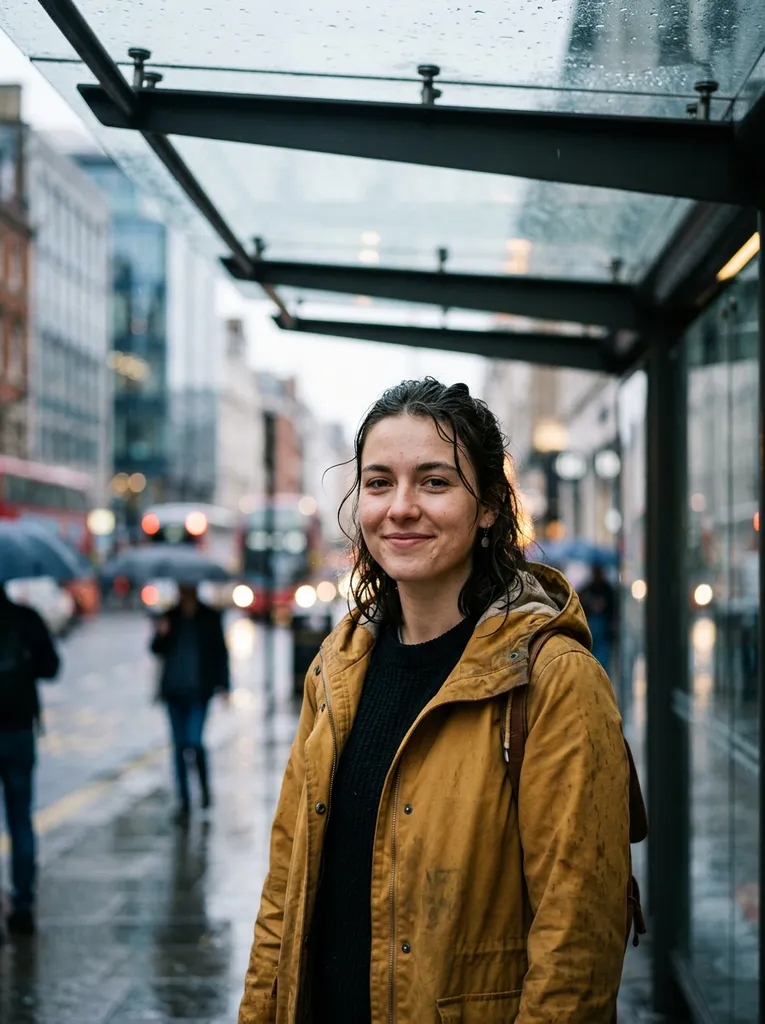 Source
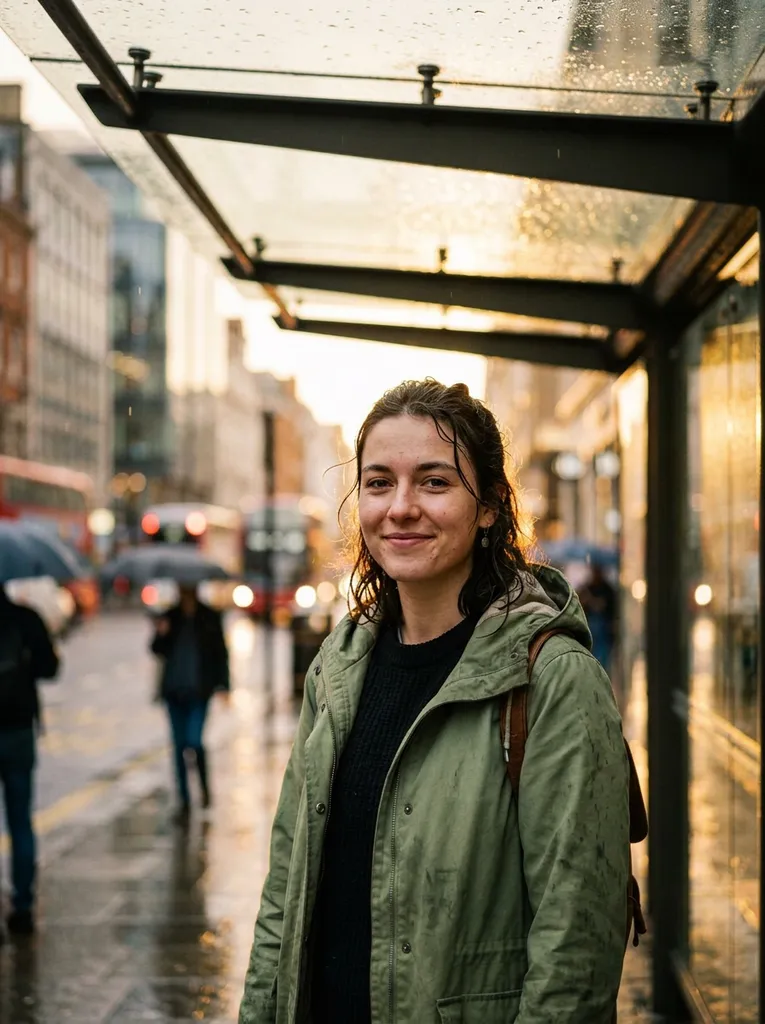 Edited
Change the raincoat to sage green and turn the weather into golden-hour sunshine just after the rain; keep the person, pose, framing and everything else identical
Key Features of Image to Image
Why creators pick PixRoute for image to image ai.
Plain-language editing
Describe the change — no masks, layers, or selections. The model keeps what you didn't mention.
Scene preservation
Nano Banana 2 holds lighting, faces, and backgrounds steady while changing exactly what you asked.
Precise instruction edits
GPT Image 2 follows detailed edit instructions faithfully — including fixing or replacing text inside the image.
Restyle and remix
Turn a photo into watercolor, anime, or product-shot style while keeping the composition.
Really free to start
Edits start at 4 credits; the 50-credit signup bonus covers your first edits with no card required.
Chain into video
Send an edited image straight to Image to Video and animate it — one workspace, one credit balance.
Image to Image Pricing
Priced in credits, shared across every model on PixRoute.

Nano Banana 2
Image to Image
| Quality | Credits / image |
|---|---|
| 0.5K Draft | 15 |
| 1K | 19 |
| 2K | 29 |
| 4K | 38 |

GPT Image 2
Image to Image
| Quality | Credits / image |
|---|---|
| Low | 4 |
| Medium | 15 |
| High | 60 |

Seedream 5.0 Pro
Image to Image
| Quality | Credits / image |
|---|---|
| 1.5K | 16 |
| 2K | 32 |
Seedream 5.0 Lite
Image to Image
| Quality | Credits / image |
|---|---|
| 2K | 9 |
| 3K | 9 |
Image to Image FAQ
Is there a free image to image AI editor on PixRoute?+
Yes — new accounts get 50 free credits with no card required, and edits start at 4 credits per image (GPT Image 2's low tier), so the bonus covers your first edits outright.
Which model should I use for editing images?+
Nano Banana 2 when preserving the scene and characters matters most; GPT Image 2 when the edit needs precise instruction-following or text changes. Both share your credit balance.
Will the AI change parts of the image I didn't mention?+
These models are built to preserve everything outside your instruction. For strict control, name what must stay unchanged — "keep the face and background identical" — in the prompt.
What image formats can I upload?+
JPEG, PNG, WebP, and GIF up to 10MB. Results download at full resolution, watermark-free on paid plans.
Can I edit AI-generated images too?+
Yes — any image in My Creations can be sent back into Image to Image, so you can generate with one model and refine with another.
Models Behind It
Ready to create with Image to Image?
One credit balance across every top image and video model.
Start Image to Image FreeFree credits to start. No card required.