
AI Object Remover
NEWPaint over anything you want gone — a stranger, a bin, a caption — and it disappears along with its shadow. No prompt, no tracing edges.
Example — drag to compare
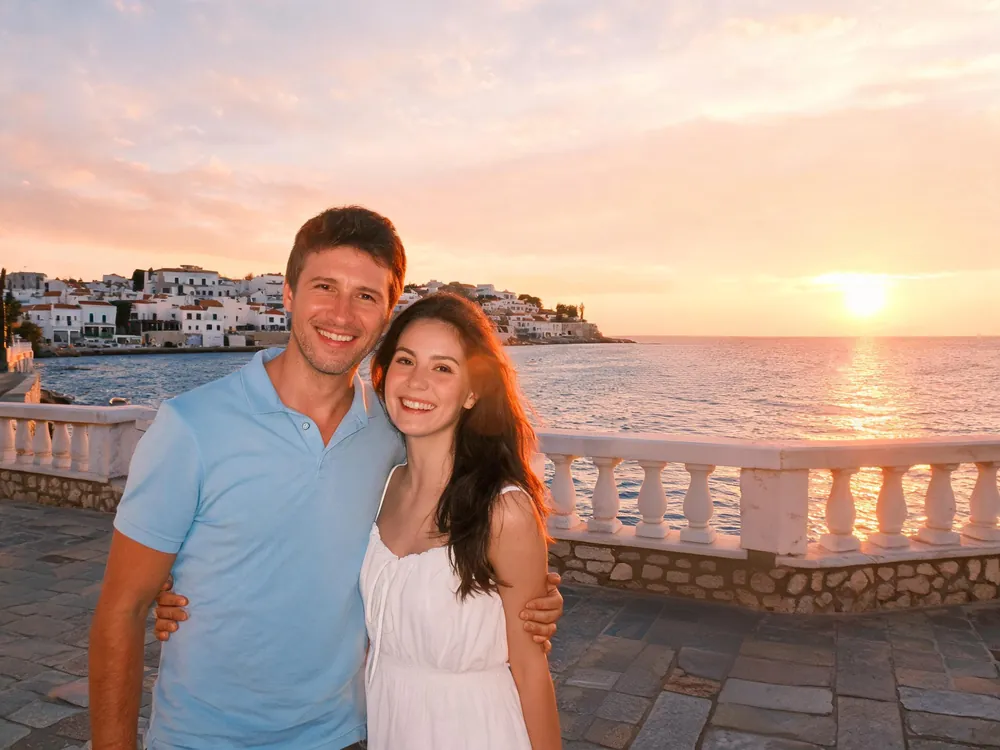
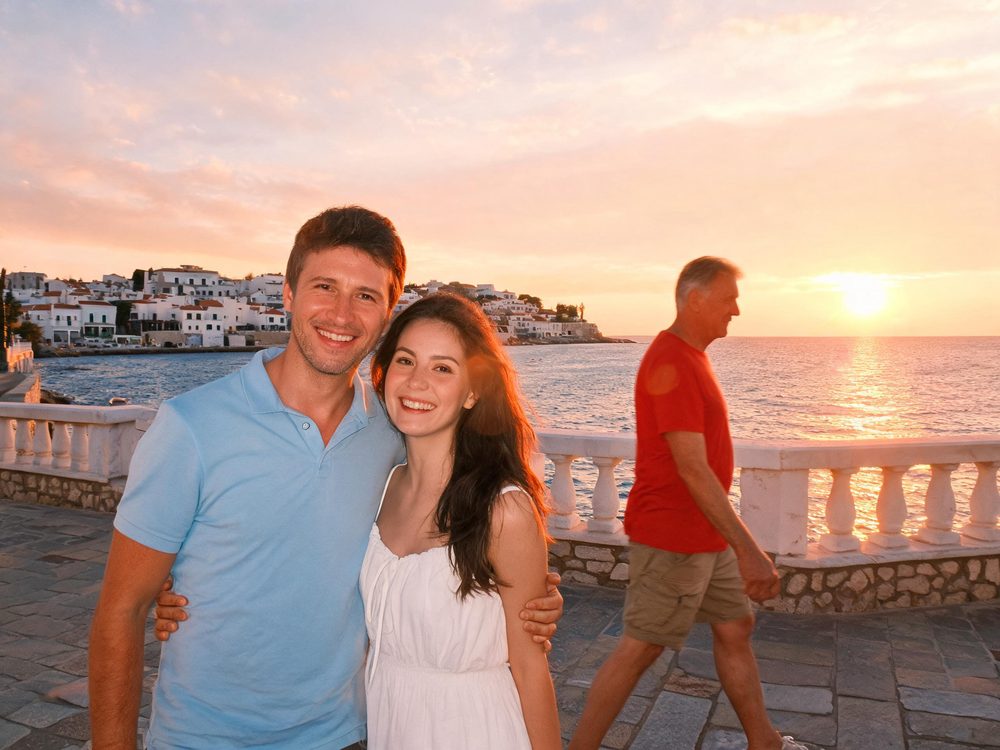 OriginalErased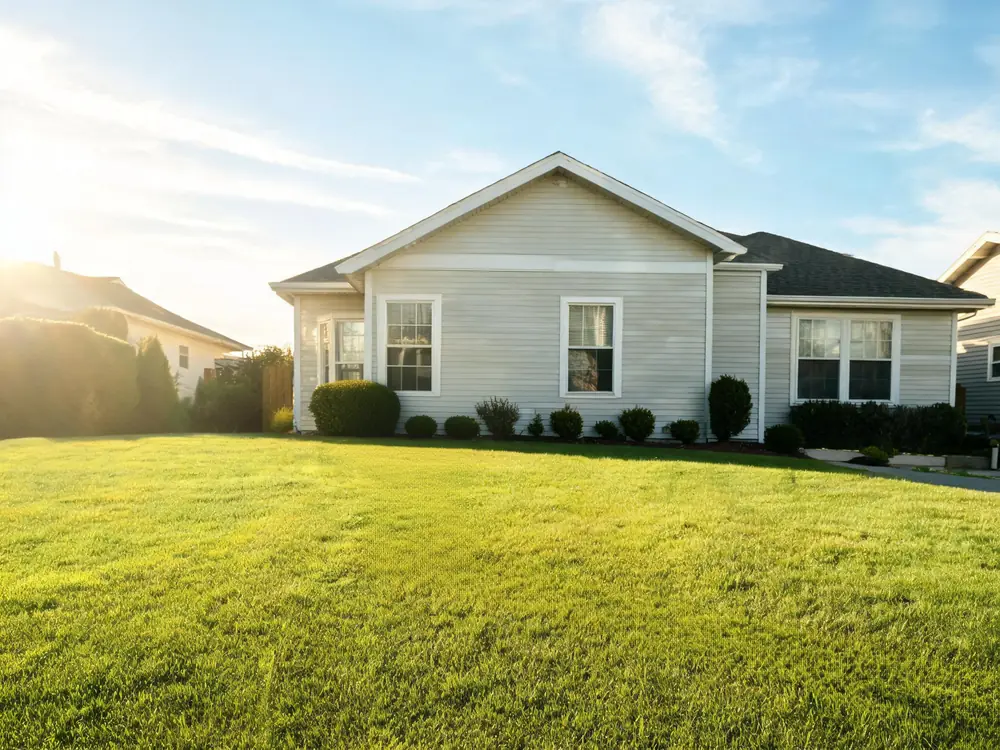
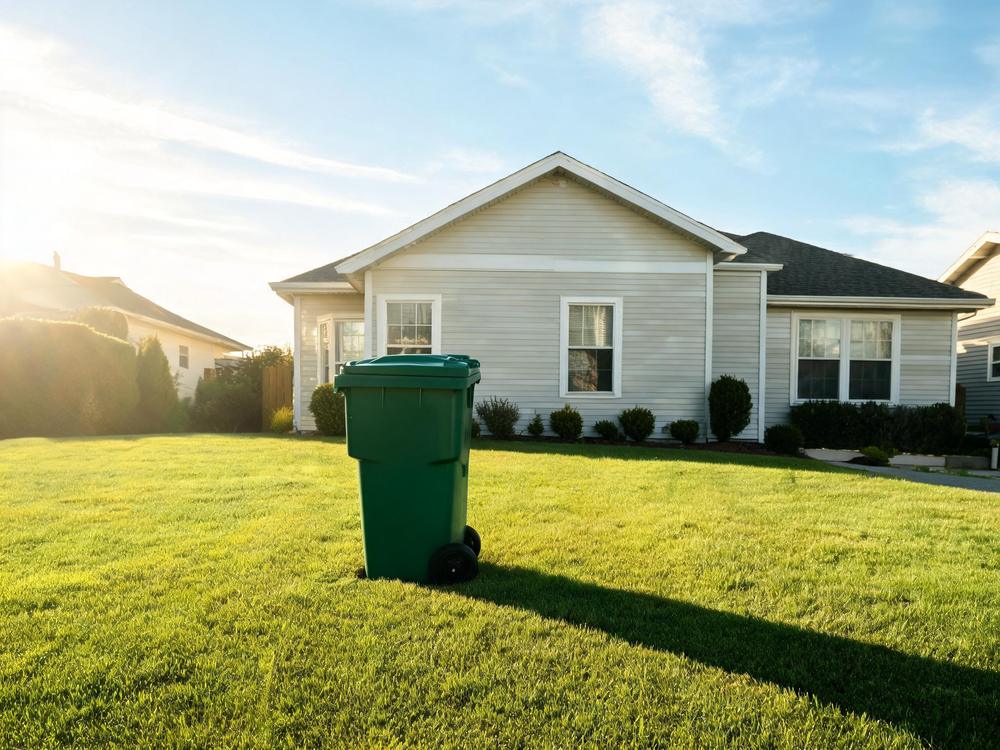 OriginalErased
Upload a photo, paint over what you want gone, and it disappears.
10 credits per erase · any number of objects in one pass · new accounts start with 50 credits
Key Features of AI Object Remover
Why creators pick PixRoute for object remover.
Rough marks are enough
Scribble over the thing with a fat brush — you do not have to trace its outline. The model finds the object inside your marks and reconstructs what was behind it from the surrounding scene. Every example on this page was erased with a plain rectangle.
Shadows and reflections go too
An object you remove leaves evidence: a cast shadow on the grass, a reflection in a window, a bright patch on a wall. Mark the object and those go with it. In our own test the mask covered a garbage bin and nothing else — the long shadow it threw across the lawn disappeared as well, and the grass under it was rebuilt.
Only what you painted changes
This is a true inpaint, not a re-render. Every pixel you did not mark comes back untouched — we measured it: outside the mask, the output differs from the input by a fraction of one shade. Prompt-based erasers regenerate the whole frame at about one megapixel, which quietly resamples the 95% of your photo you were happy with.
People, text, and whatever else is in the way
Photobombers and passers-by, bins and cables and signage, baked-in captions, watermark-style date stamps, stickers and emoji, blemishes on a wall. If you can paint over it, it is a candidate — faces and busy backgrounds included.
Cleanups happen in rounds
One pass rarely catches everything. Erase more takes the result straight back into the canvas as the new source, so you can work through a photo object by object without re-uploading anything. Every round is its own run and shows in My Creations.
Full size, no watermark
You get a PNG at your photo's own proportions with nothing stamped on it, and nothing held back behind an HD upsell. Output tops out at a 2048px long side — if you need it bigger, one click sends it to the image upscaler at 2× or 4×.
How the AI Object Remover Works
Upload the photo
Drag a JPEG, PNG or WebP up to 10MB onto the drop zone. Very large photos are scaled down first, since the model returns a 2048px long side at most.
Paint over what you want gone
Set the brush size and scribble over the object — roughly is fine. Undo removes your last mark, Clear starts the mask over. Paint several things and they all go in one run.
Compare, download, or keep erasing
Drag the slider across the result to check the repair against the original, download the PNG, or hit Erase more to clean up the next thing in the frame.
AI Object Remover FAQ
How much does it cost to remove an object?+
10 credits per erase, whatever you painted — one object or five, it is one run at one price. A new account starts with 50 credits and no card, so your first five erases are free. If a run fails the credits come back automatically.
How do I remove a person from a photo?+
Paint over them, roughly — head to feet, plus a little slack around the edges — and run it. The background behind them is reconstructed from what surrounds it, so it works best when they are standing against continuous scenery (a wall, water, a crowd-free promenade) rather than overlapping the person you want to keep.
Can it remove text from an image?+
Yes. Paint over the words and they go, including captions baked over a photo, date stamps in a corner, and signage in the background. Large text over detailed subjects is the hardest case, so check the result with the compare slider.
Does it change the rest of my photo?+
No. Outside your mask the pixels are the original ones — we measured the difference and it is a fraction of one shade of colour, which is the blend at the seam and nothing else. This is the main reason we chose this engine: prompt-driven erasers rebuild the whole image, so everything gets resampled whether it needed it or not.
What about the object's shadow?+
You usually do not have to paint it. The model treats shadows, reflections and lighting spill as belonging to the object, so marking the object takes them along. If a shadow does survive, paint over it and run once more.
Can I remove more than one thing at a time?+
Yes — paint over everything you want gone before running. It is one mask, one run, one price. Separate marks in different parts of the photo are fine.
What resolution do I get back?+
Your photo's own dimensions, up to a 2048px long side; a bigger photo comes back scaled to that. The proportions are never changed. For a print-size file, run the result through the image upscaler afterwards — it hands off with one click.
How is this different from Google Photos' Magic Eraser?+
Same idea, different constraints. This runs in a browser on any photo you can upload rather than only on your phone's library, keeps your file at full size, adds no watermark, and does not need the photo to be in a particular app. It costs credits because each run costs us real compute.
Can I use it to remove a watermark or a copyright notice?+
No — that is the one thing we will not help with. Removing a watermark from someone else's work strips a copyright signal, so it is off the table regardless of the technology.
Is there a watermark on the result, or a free low-res version?+
Neither. You get the whole image as a PNG. We charge for the run instead of holding your resolution hostage.
Do I need an account?+
Yes. Runs go through the same queue and credit ledger as everything else on PixRoute, so they have to belong to someone — and your cleanups stay in My Creations instead of vanishing with the browser tab.
Does it work on a phone?+
Yes. The canvas takes touch and stylus input the same way it takes a mouse, and painting will not scroll the page while you draw.
Clean it up, then keep working
The cleaned photo goes straight into an enlargement or an edit.
Erase somethingFree credits to start. No card required.